
News, forms and company
Business details and opening hours.
Business details keeps your company and opening hours, the facts and the claims in one place. The Company details element shows them on the site and search engines get them as structured data.
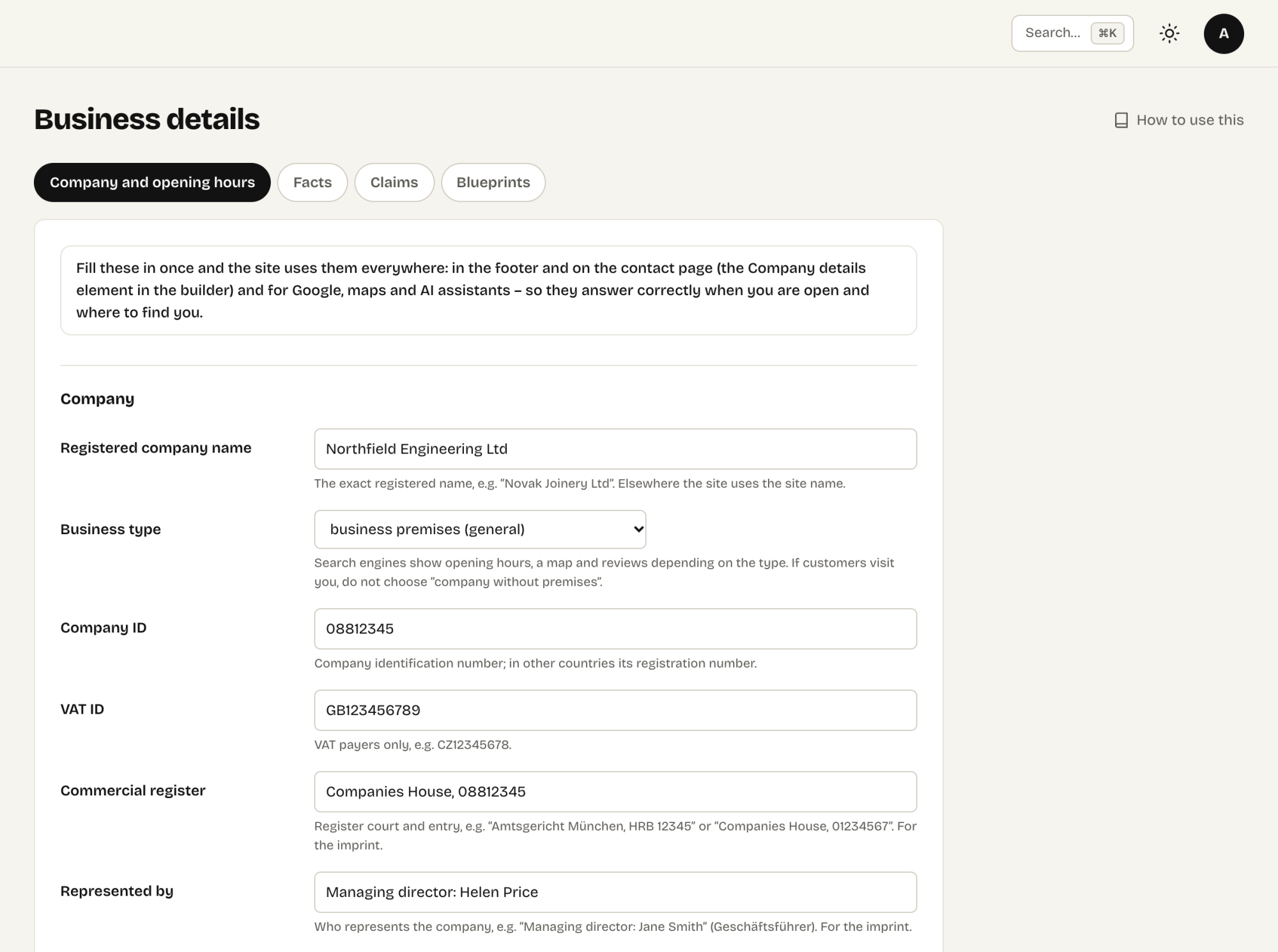
Company → Business details
Company → Business details keeps what is true about the business, in four tabs: Company and opening hours · Facts · Claims · Blueprints.
Company and opening hours: registered name, business type, company ID, VAT ID, address, phone, public email, opening hours, map link and coordinates.
Editors may change Business details too. The legal identifiers – the company ID, VAT ID, register entry and who represents the company – stay with administrators: an editor neither sees nor saves them. The Blueprints tab is for administrators as well.
The public email is the one visitors see. The site's own email for notifications and enquiries (Settings → Mail) is never shown on the site.
Opening hours
Write one line per rule, the way people read it:
Mo–Fr 8:00–17:00
Sa 9–12
Su closed
Exceptions to the opening hours
Business details → Company and opening hours → Exceptions to the opening hours: holidays, a closed day, shorter hours.
- The Company details element shows them under the opening hours for the next 30 days; its option Open now (and until when) shows “Open now, until 17:00” or when you open next. In texts:
{{hours.status}}and{{hours.today}}. - A notice bar appears on the site a few days ahead (7 by default) and disappears when the exception ends.
- Search engines get the exceptions in the structured data.
- Door sign next to each exception prints an A4 or A5 sign with the dates, the regular hours and a QR code to the site.
Exceptions proposed by Claude
A Claude connection with drafts only access does not change the opening hours – it proposes an exception instead, for example a holiday someone mentioned in a request. The proposal appears under the exceptions marked Proposed by Claude, and in Waiting for you on the Dashboard. The site ignores it until a person clicks Apply; Discard throws it away. A connection with full access saves exceptions directly.
Where the details appear
- The Company details element shows them anywhere on the site – typically in the footer or on the Contact page.
- Search engines receive them as structured data (Organization or LocalBusiness with address, hours and location), so Google can show your hours and address.
Business facts
Numbers and details the site states in many places – the year the company was founded, the number of projects, a price from, the warranty – belong in the Facts tab of Business details. Write {{fact.key}} in a text, a heading, a button or a link (tel:{{fact.company_phone}}); visitors see the value, and when it changes, every page says the new one.
- The company details above are facts too:
{{fact.company_phone}},{{fact.company_email}},{{fact.company_address}},{{fact.year}}… - Computed facts never go stale:
{{years_since:2004}},{{count:references}}(the number of items of a collection),{{count:news}}. - A fact with a schema.org property (founding date, number of employees, price range…) is added to the company for search engines; llms.txt lists the facts.
- When you change a value, the fact lists every sentence that still states the old one as plain text. The Claims tab finds sentences with numbers that are not facts yet – the numbers worth turning into facts.
- Claude saves facts only over a connection with full access.