
Getting started
First steps in the admin.
The Dashboard walks you through the five things every new site needs: appearance, company details, pages, privacy policy and e-mail.
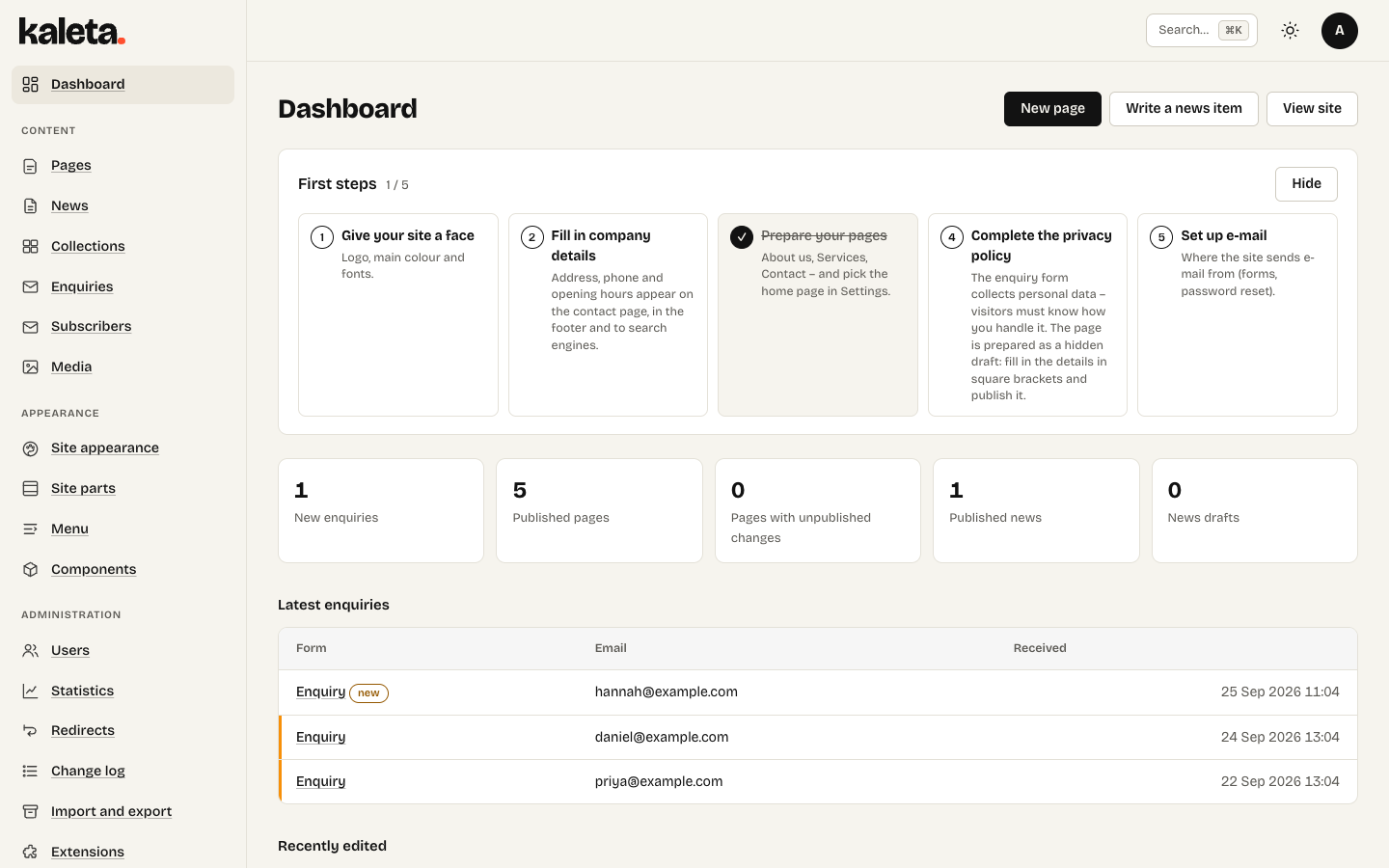
The Dashboard with First steps for a new site
The Dashboard
After signing in you land on the Dashboard. Until you finish them, First steps guide you through:
- Site appearance – colours, fonts and logo.
- Company details – name, address, opening hours.
- Pages – replace the sample texts of the starter site.
- Privacy policy – complete the draft page and publish it.
- E-mail – where enquiries and system messages go (Settings → Mail).
Finding your way around
The menu on the left is grouped into Content (pages, news, collections, enquiries, media…), Appearance (site appearance, site parts, menu, components) and Administration (settings, users, roles, import and export). What you see depends on your role – an editor, for example, does not see the settings.
The admin has a dark mode and works on a phone too.