
Getting started
Extensions.
News, forms, newsletter, statistics, redirects, language versions, the public API, the AI assistant and the Claude connection are built in. You decide what is on.
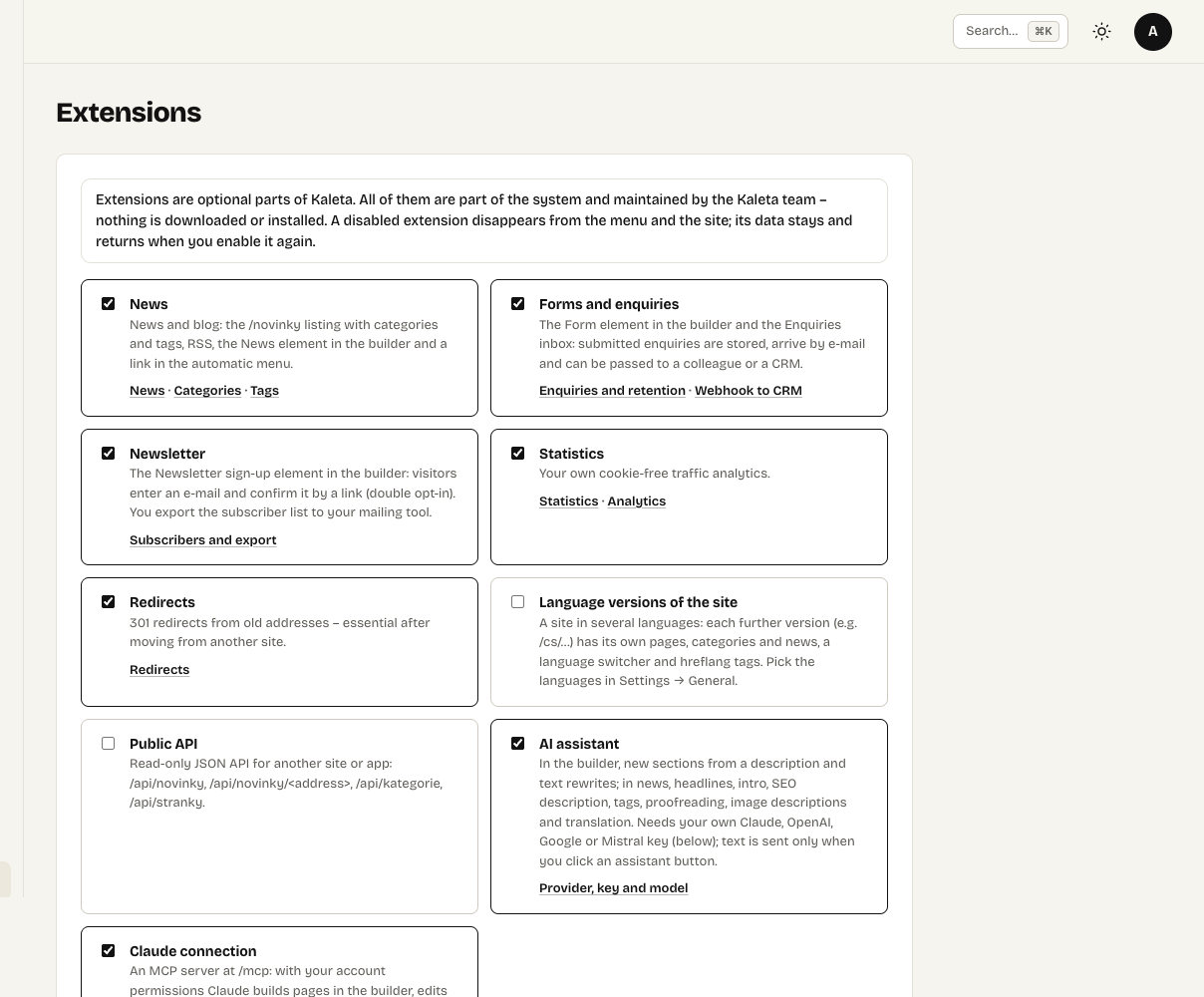
Extensions: each one can be switched on or off at any time
Kaleta has no plugin marketplace. Everything is part of the product and you switch it on under Extensions:
| Extension | What it adds |
|---|---|
| News | A company blog with categories and tags, RSS and the News element in the builder. |
| Forms and enquiries | The Form element and the Enquiries inbox. |
| Newsletter | A sign-up element with double opt-in and a list of subscribers to export. |
| Statistics | Cookie-free visit statistics. |
| Redirects | 301 redirects from old addresses – essential after moving from another site. |
| Language versions | More language versions of the site (/en/…) with their own pages, categories and news. |
| Public API | A read-only JSON API for another site or app: news, categories and pages. |
| AI assistant | Sections from a description and text rewrites in the builder; headlines, SEO and translation in news. Needs your own API key. |
| Claude connection | The MCP server at /mcp: Claude builds and edits the site with your permissions. |
Switching an extension off deletes nothing. Its admin section and builder element disappear, the elements already on pages stop rendering and its public addresses return “not found”. Switch it back on and everything is where you left it.
Each extension links straight to its settings.