
Header, footer and menus
Menus.
Build the main menu and the footer menu from pages, custom links, news and groups, with one submenu level.
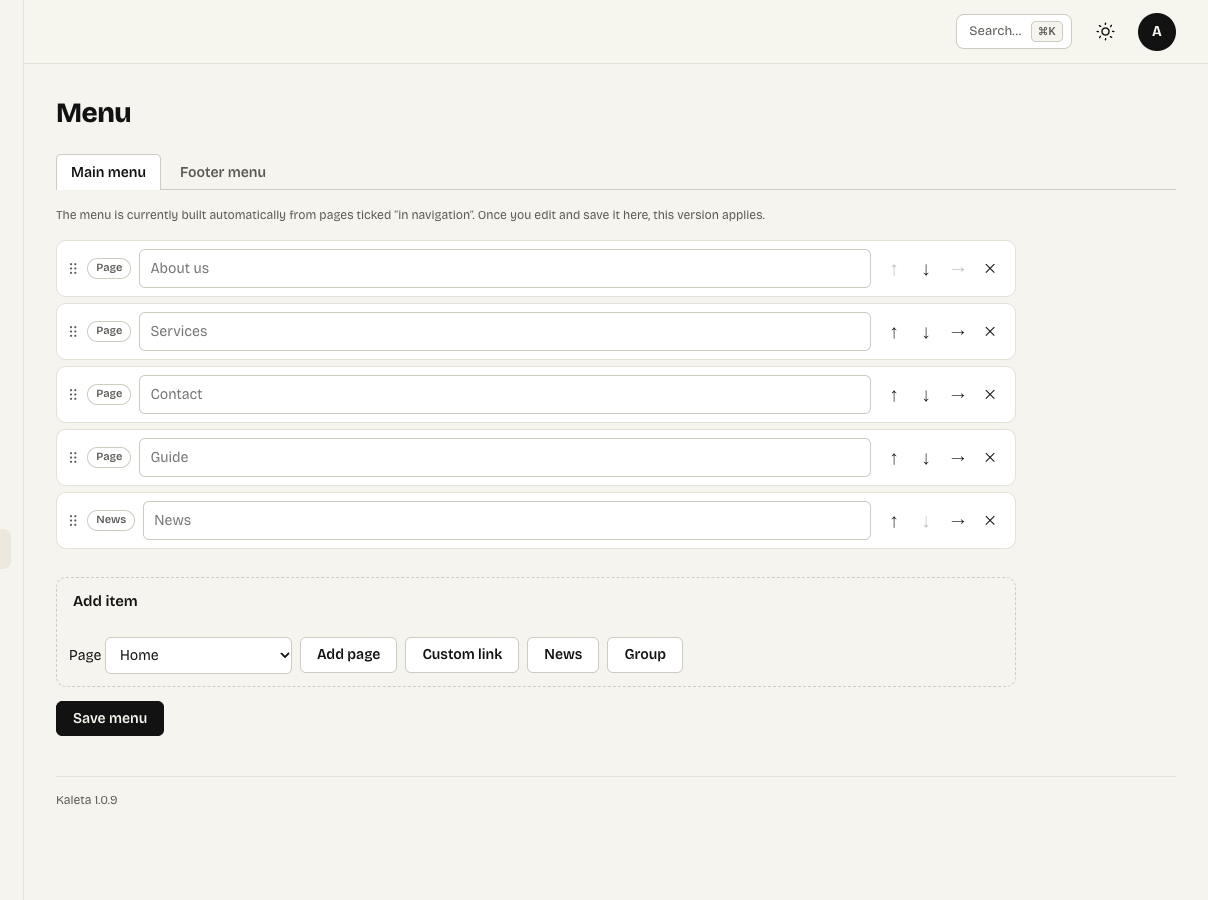
Appearance → Menu with the main menu
Appearance → Menu builds the main menu and the footer menu.
- Add pages, custom links, a link to news and groups (a heading with a submenu).
- Each item can have one level of submenu.
- Reorder by dragging or with the arrows.
Until you save a menu, the main menu is built automatically from pages marked “in navigation” in their settings. A hidden page appears in the menu only after you publish it.
The Navigation element in the header shows the menu; on phones it folds behind a button. Submenus open as dropdowns, or as a wide mega menu panel; Escape closes them.