
Page builder
Pages: settings, trash and copies.
Every page has its own search-engine title, sharing image and visibility. Deleted pages wait 30 days in the trash; duplicates copy the whole build.
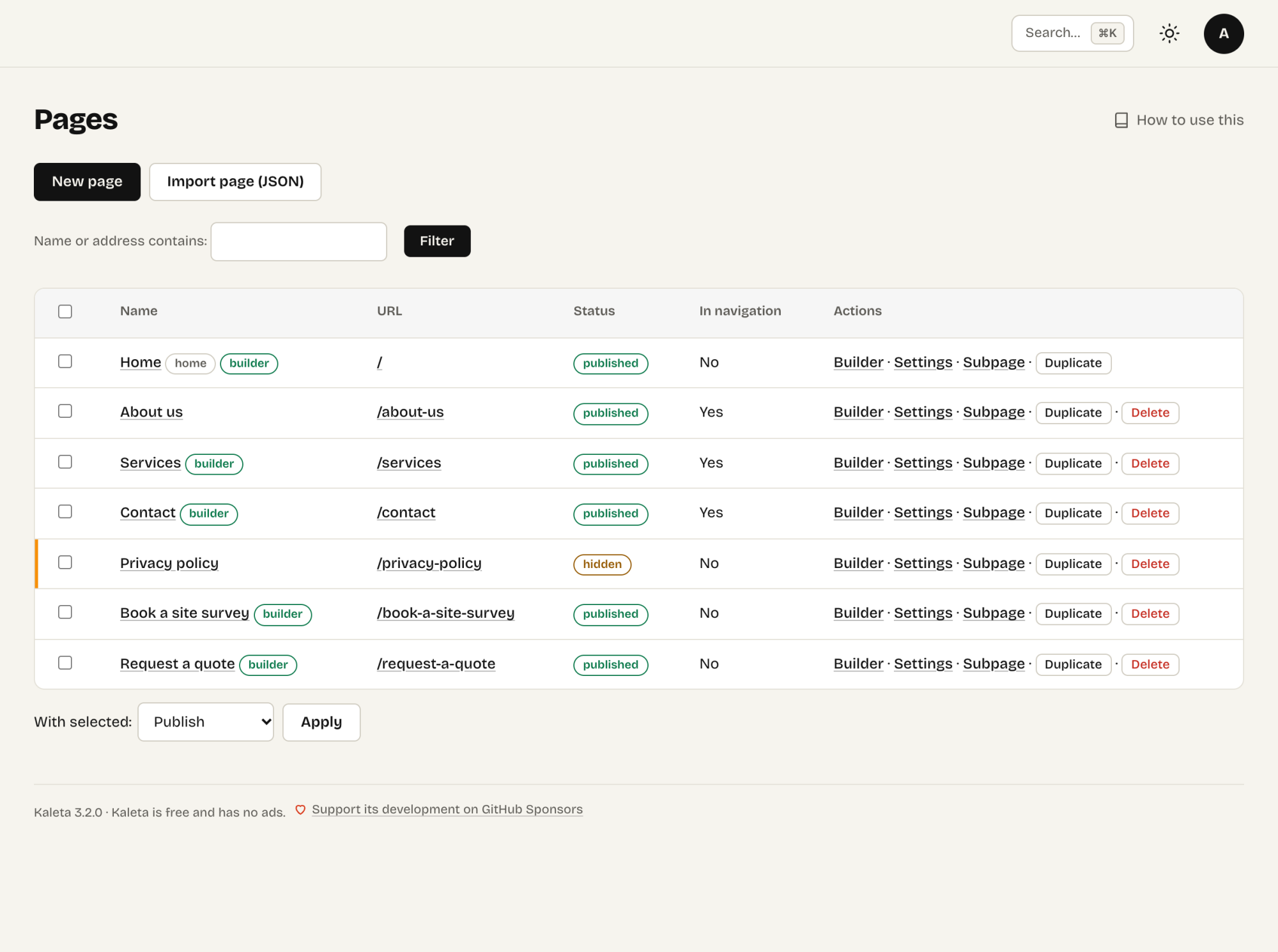
Content → Pages with visibility, actions and bulk actions for the selected pages
Content → Pages lists all pages with their address and visibility.
Page settings
- Title and address – changing the address of a published page creates a redirect from the old one automatically.
- Visibility – a hidden page is not on the site; only the builder preview and signed preview links show it.
- In navigation – whether the automatic menu links to it (once you save a menu, the menu decides).
- Search engines and sharing – search-engine title, description, sharing image and a noindex option.
Trash and copies
A deleted page goes to the trash and can be restored for 30 days. Duplicate creates a hidden copy including the whole build – a quick start for a similar page.
Text pages
A page that used to be plain text is converted by the builder automatically when you open it. You can switch it back to text in the page settings.
True until and review by
Pages, news, collection items and pop-ups have two dates in their form:
- True until – after this day the page hides itself (a pop-up switches itself off): a campaign, a seasonal offer, a job opening.
- Review by – on this day the site audit lists the page and the alert e-mail reminds you to check it: prices, the team, anything that goes stale.
Claude sets the same dates (valid_until, review_by).