
Design system
Site appearance and design tokens.
Styles, colours, dark mode, fonts, sizes and corner radius for the whole site at once – in tabs, with a live preview and a WCAG contrast check.
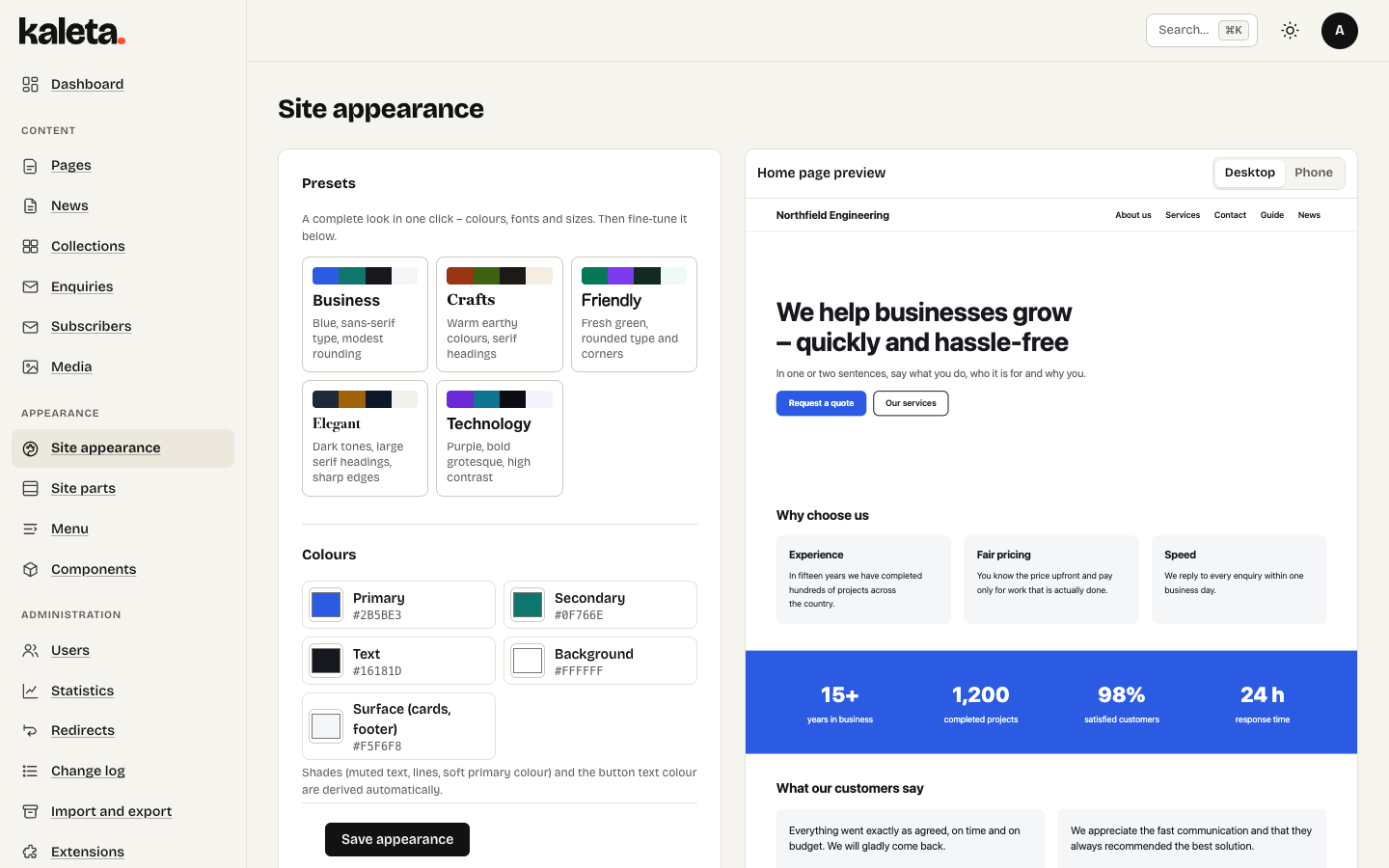
Site appearance with the live preview on the right
Appearance → Site appearance changes the whole site at once. On the right is a live preview of the home page (desktop or phone); nothing is saved until you press Save appearance.
Three words, used the same way everywhere: a starter site is sample content plus a style (you choose it at installation), a style is a ready set of colours, fonts, sizes and corner radius, and a theme is only the old custom PHP theme some sites still have.
The tabs
- Style – pick a style in one click, then fine-tune it in the other tabs. The style your site uses is marked current.
- Colours – primary, secondary, text, background and surface. Shades are derived automatically. The Readability block checks WCAG contrast – change any pair marked in red.
- Dark mode – off, matching the visitor’s device or always dark, with its own colours and an optional switcher for visitors.
- Fonts and sizes – heading and text fonts (also your own WOFF2 files, hosted on your server), base font on phones and monitors, heading ratio, content width and the typography styles (Main title, Section heading, Lead…) you pick for elements in the builder.
- Shapes – corner radius for buttons, cards, images and form fields.
- Logo and icon.
- Import and export – download and load the look as W3C Design Tokens (DTCG) for Figma or Tokens Studio.
A look from your brand
You do not have to build it by hand: connect Claude and describe your brand – colours, fonts, how rounded. Claude saves it to the design system and you see the result in the preview.